

THIS IS A 2 PART MOD READ EVERYTHING TO UNDERSTAND!!!
SpotifyCoopDX:
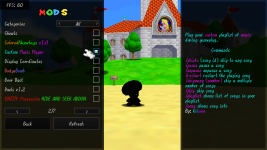
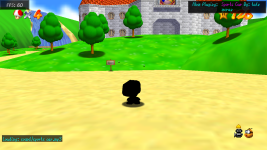
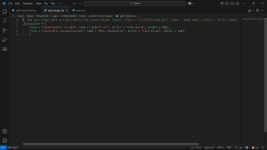
Bring your spotify playlist to sm64coopdx! add your .mp3 files to the sound folder and add the
file path, song name, artist name, and length of the song in the "add-songs.lua" file. (the limit of of megabytes (MB) of songs is maxed at 35 MB combined (no i cannot change this if u have a problem with it ask the sm64coopdx developers))
Commands:
/pause pause a song
/unpause unpause a song
/restart restart the playing song
/skipto (song ID) skip to a song
/skipmany (number) skip a multiple number of songs
/skip skip song
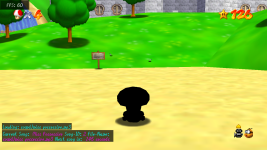
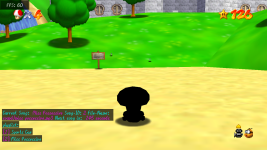
/playlist shows list of songs in your playlist
/song shows song info
Custom Voicelines:
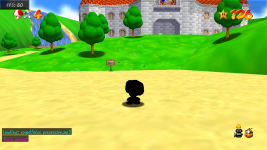
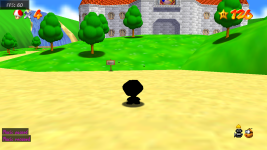
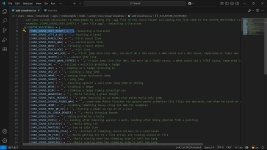
YOU CAN NOW ADD CUSTOM VOICELINES TO SM64COOPDX IN THE EAISEST WAY POSSIBLE!!! Add your .ogg file in the sound folder and add your .ogg file in the "add-voicelines.ogg" (example: [CHAR_SOUND_OKEY_DOKEY] = 'your voiceline.ogg',).
ITS AS EASY AS IT GETS YOU CAN'T MESS UP (but if you do just message me)
SpotifyCoopDX:
Bring your spotify playlist to sm64coopdx! add your .mp3 files to the sound folder and add the
file path, song name, artist name, and length of the song in the "add-songs.lua" file. (the limit of of megabytes (MB) of songs is maxed at 35 MB combined (no i cannot change this if u have a problem with it ask the sm64coopdx developers))
Commands:
/pause pause a song
/unpause unpause a song
/restart restart the playing song
/skipto (song ID) skip to a song
/skipmany (number) skip a multiple number of songs
/skip skip song
/playlist shows list of songs in your playlist
/song shows song info
Custom Voicelines:
YOU CAN NOW ADD CUSTOM VOICELINES TO SM64COOPDX IN THE EAISEST WAY POSSIBLE!!! Add your .ogg file in the sound folder and add your .ogg file in the "add-voicelines.ogg" (example: [CHAR_SOUND_OKEY_DOKEY] = 'your voiceline.ogg',).
ITS AS EASY AS IT GETS YOU CAN'T MESS UP (but if you do just message me)